











Brand: AEROBAND
Item Dimensions LxWxH: 13.43 x 13.2 x 1.73 inches
Weight: 5.6 ounces
Connectivity Technology: Bluetooth
Color: Wood
Compatible Devices: Headphone, Smartphone
What’s Aeroband Pocketdrum?
Drum Without Drum! Our inertial navigation technology captures your motions, offering a revolutionary drumming experience. We’ve eliminated the heavy drum kits, making it portable at only 62g. Get set for a musical adventure!

How does it work?
Why choose PocketDrum?
1.Drum Without Drum
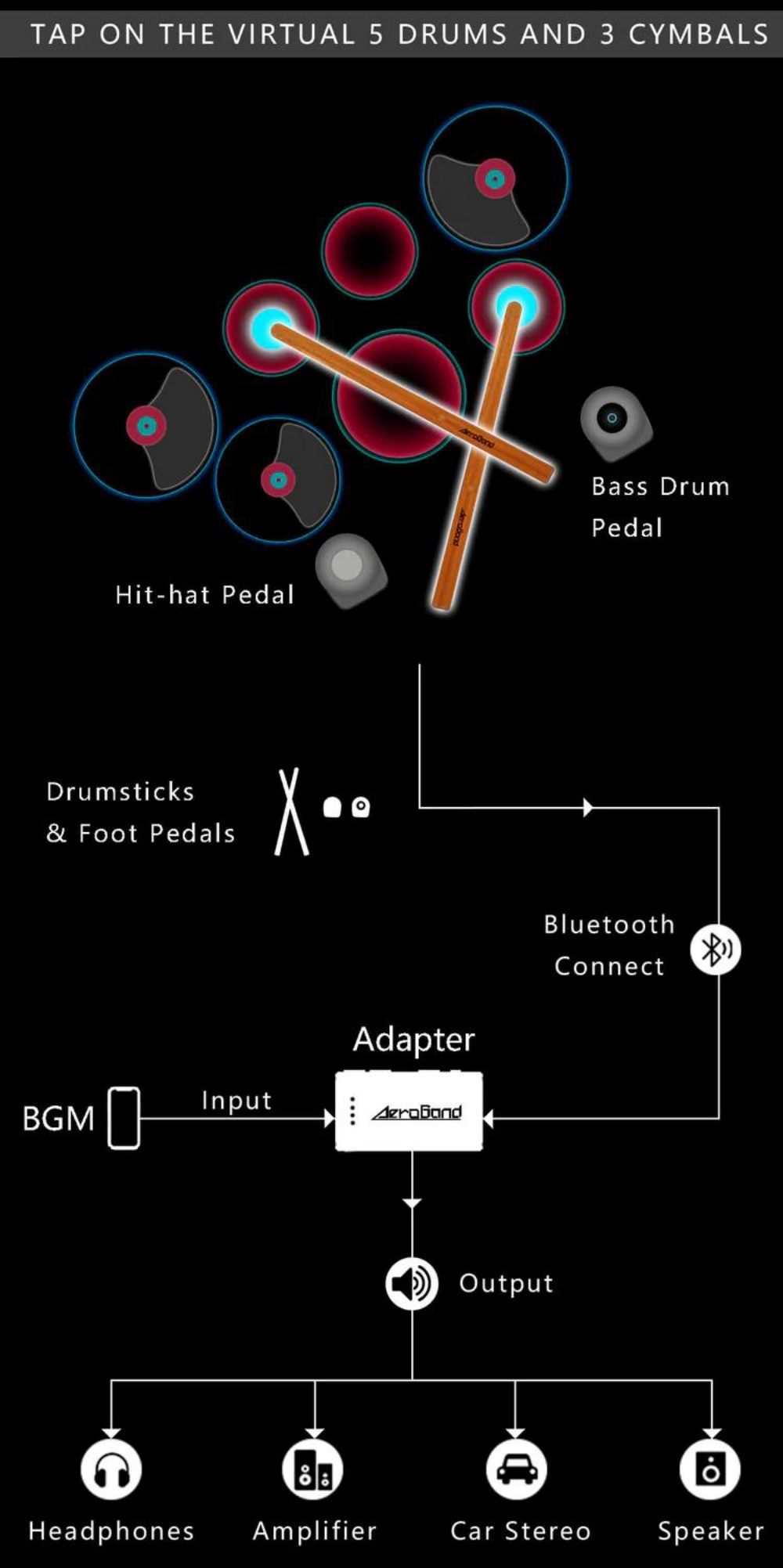
The inertial navigation technology captures the position and force of your drum strike.
No more bulky drums, just lightweight air drums.
Experience revolutionary virtual drumming!

2.Drum Anywhere
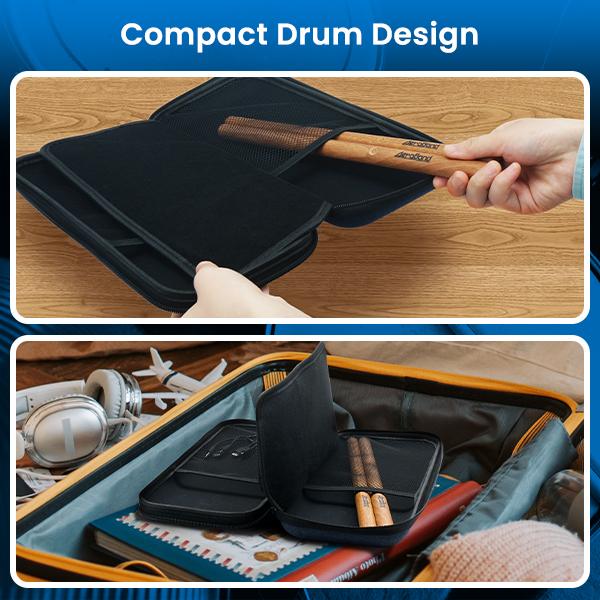
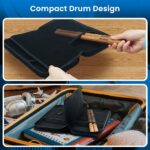
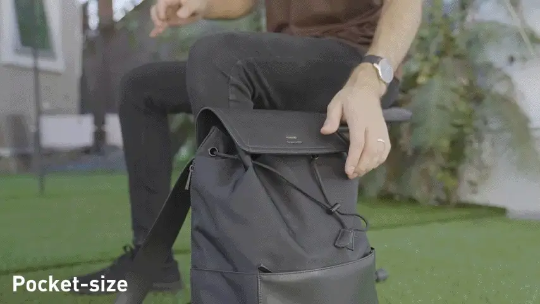
Only 62g weight to fit in your pocket.
Play drum indoors/outdoors/on stage.
No space is required. Play anytime, anywhere.
3.Technology Innovations
Technology Innovations
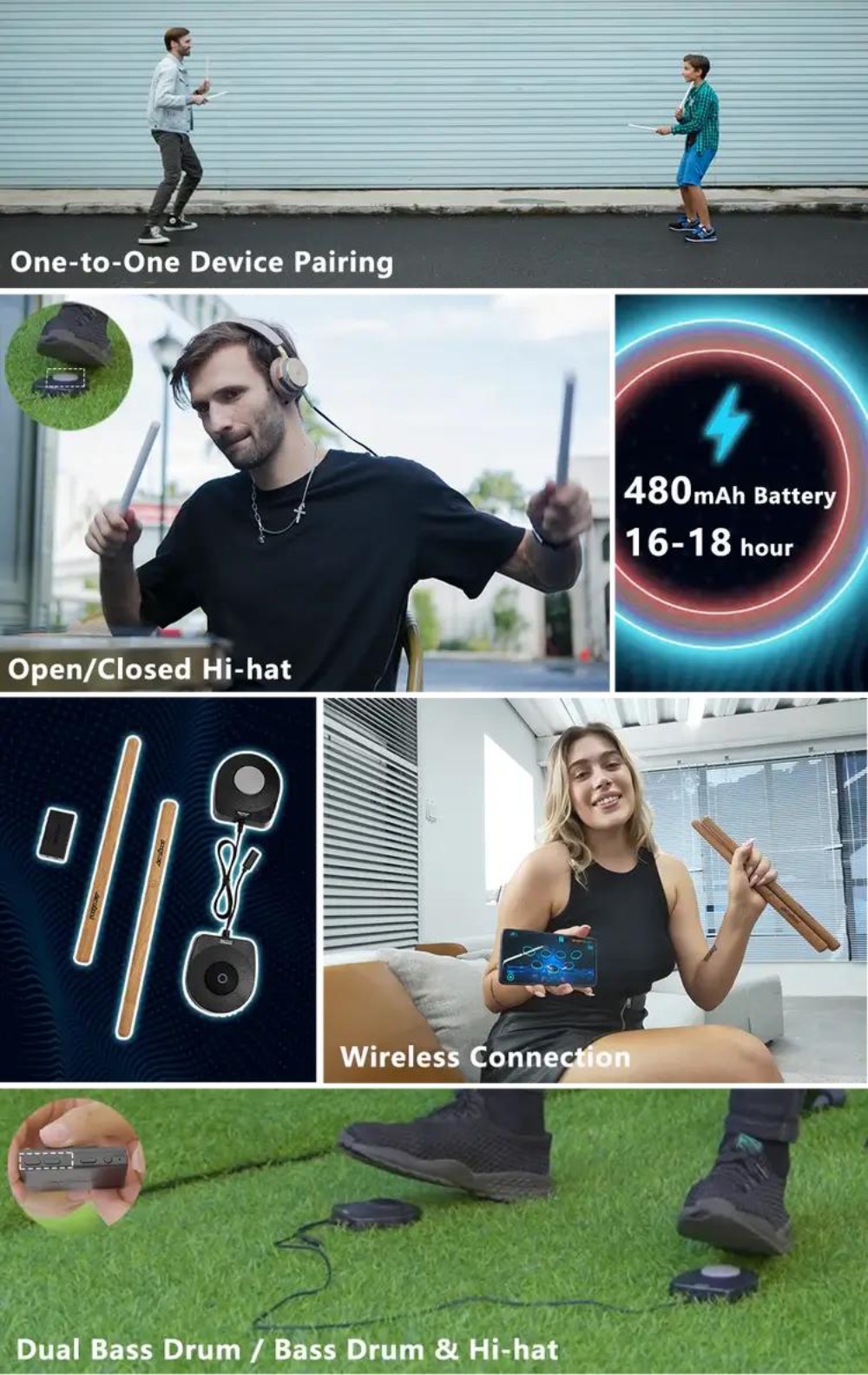
9 different styles of drums to choose from.

Experience lifelike drumming with Vibration Feedback.
One-to-one Device Pairing allows you to connect multiple PocketDrums for synchronized performances.
Switch between Open and Closed Hi-hat effortlessly.
Easily switch between Dual bass drum and Bass drum & Hi-hat.
Support Bluetooth connection for drumming without constraints.
Ultra-low latency is less than 6ms.
Ultra-long battery life of 18h.
What’s in the Box
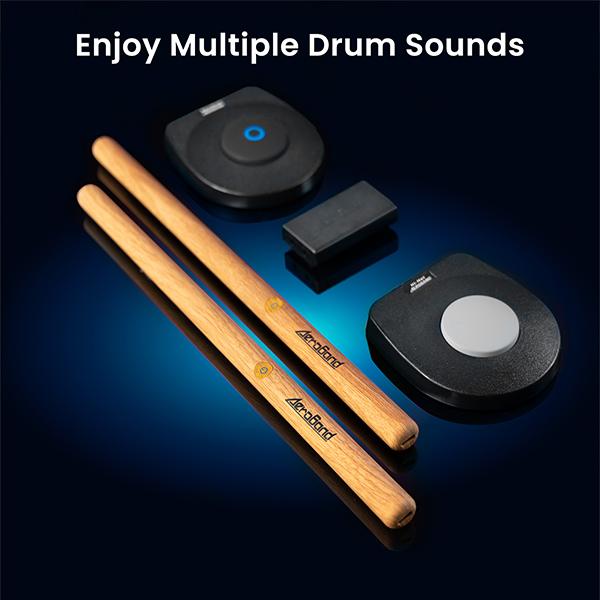
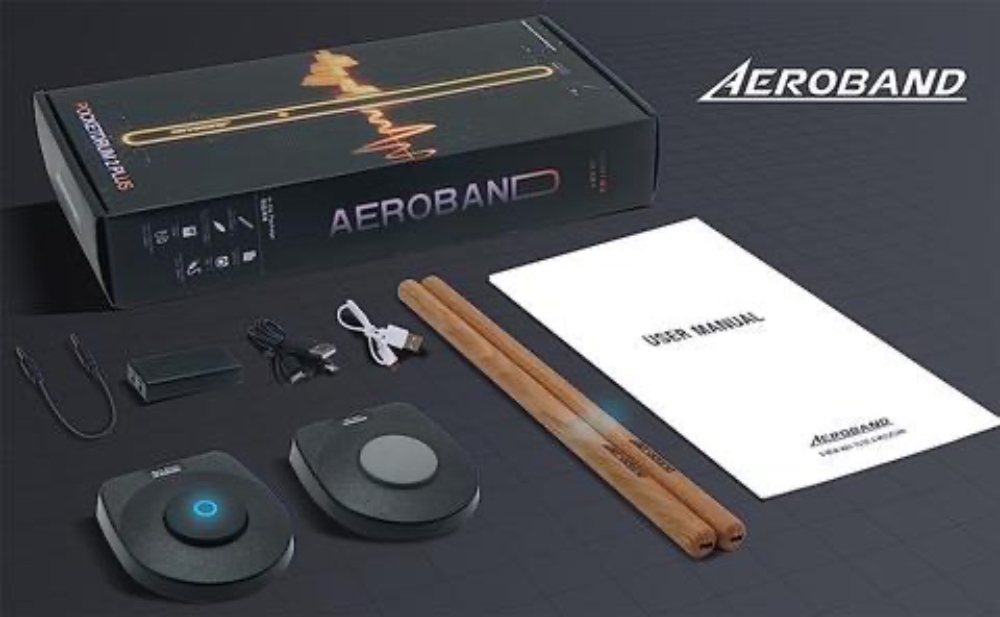
2 × Electric Air Drumsticks
2 × Electric Drum Pedals
1 × Adapter 1 × 3.5mm AUX Cable
1 × USB A to Type C Cable(For Adapter Charging)
2 × Dual Type C to USB A Cables(For Drumsticks Charging)
Usage Guidelines
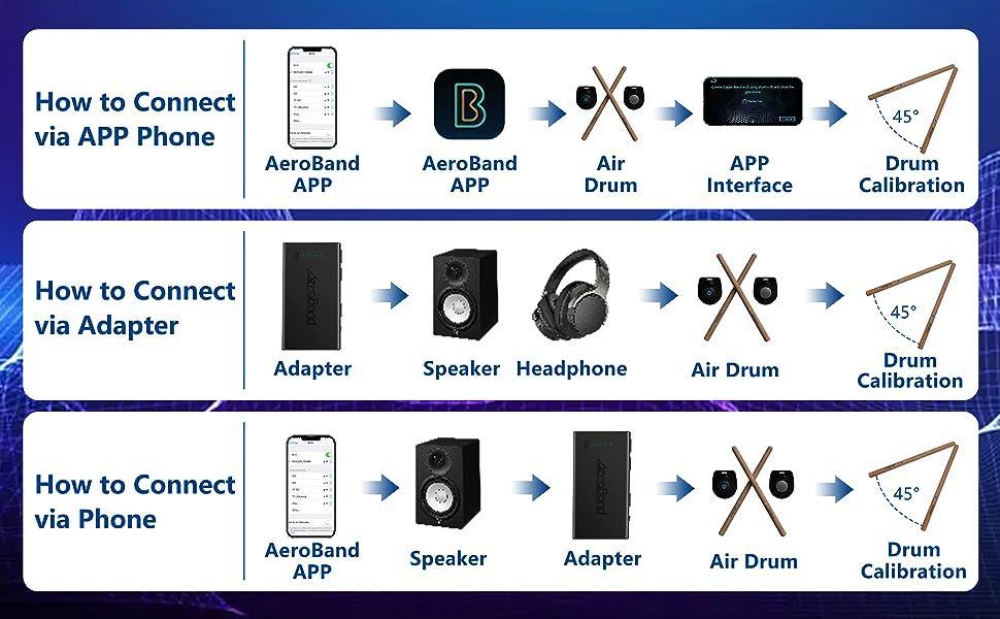
The Ways of the Connection for the PocketDrum 2 Plus
A. Connection Via App:
- Turn on your phone Bluetooth and click into AeroBand App
- Power on the air drumsticks and the pedals, and connect drum sticks and pedals via bluetooth in the AeroBand App
- Calibrate drumsticks and enjoy Drumming in different App modes
B. Connection Via Speaker:
- Power on the adapter and connect the adapter through “Line Out”port to a Speaker or Headphone AUX port
- Power on the air drumsticks and the pedals, connect to adapter via bluetooth
- Calibrate drumsticks and enjoy drumming freely
C. Connection Via Phone:
- Power on the adapter and connect it into a speaker AUX port
- Turn on your phone bluetooth and connect to the adapter
- Power on the air drumsticks and the pedals, connect to adapter bluetooth
- Calibrate drumsticks and enjoy drumming with favorite songs in your phone
How to start Aeroband Pocketdrum?
Note:
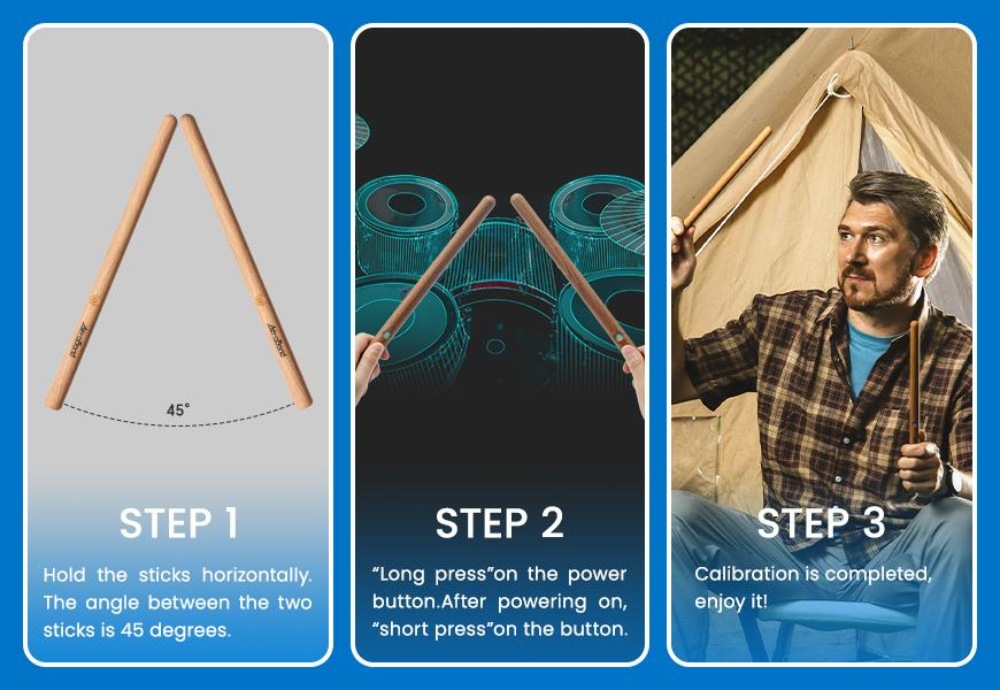
To improve your drumming skills with PocketDrum, please watch our instructional videos and follow the calibration instructions in the app, as well as the drumbeat locating steps below. If you encounter calibration issues, recalibrate the PocketDrum to ensure precise positioning or reach out to us with any problems.
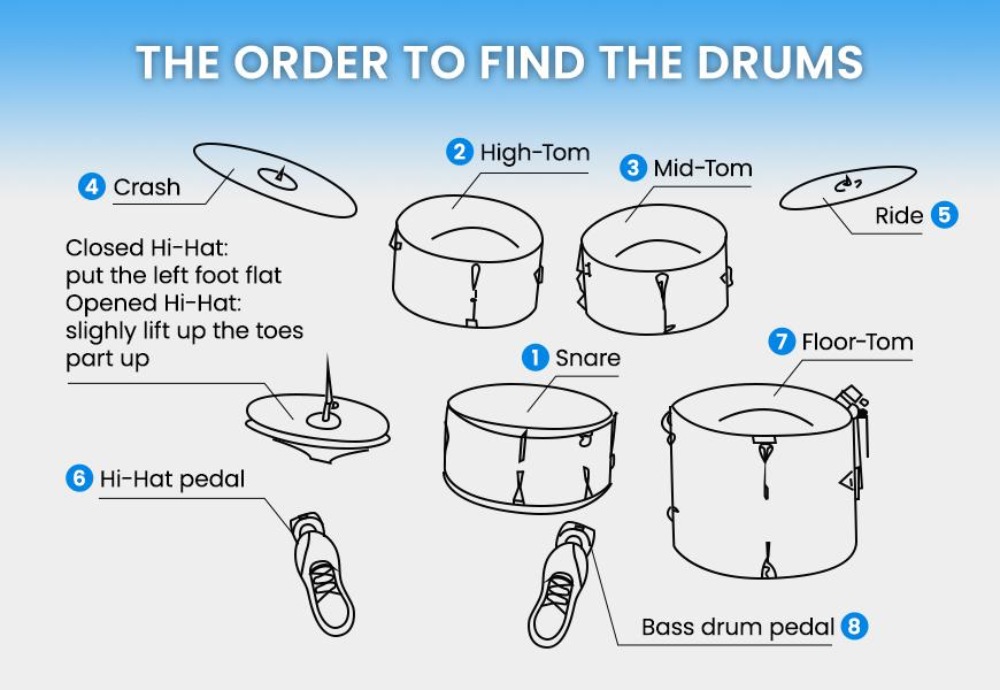
How to Locate Drum Positions on the Air Drum:
1.After completing the calibration of the drumsticks, begin by tapping number 1, which is the Snare’s position.
2.Lift both drumsticks up: use the left drumstick to tap number 2, representing the High-Tom’s position, and the right drumstick to tap number 3, indicating the Mid-Tom’s position.
3.Move the left drumstick to the left and tap number 4, which corresponds to the Hi-Hat’s position.
4.Shift the right drumstick to the right and tap number 5, representing the Crash Cymbal’s position.
5.Tap number 6 with your left foot to trigger the Hi-Hat’s position, while simultaneously moving the left drumstick downwards to tap number 6 again for the Hi-Hat.
6.Position the right drumstick to the lower right and tap number 7, indicating the Floor Tom’s position.
7.Tap number 8 with your right foot to activate the Bass Drum’s position.
After calibrating the drumsticks, follow the steps provided in the text and images above to confirm the drum positions. The Air Drum recognizes drum positions based on the angle of the drums, so when searching for positions below the drums, avoid lifting the drumstick heads too high. If you have any questions, please reach out to our customer support for assistance.
FAQ
1.What is the adapter for?
With the adapter, you can connect to your speaker very easily, which will be very convenient if you want to take them outdoors. If you are a music maker, you can connect to your DAW through this adapter with less latency
2.Can you connect a DAW with it?
It can output audio source through AUX interface, then you can connect to DAW through Midi, also you can do some editing on the sound track
3.Can I switch tones through it?
Yes, you can see that there is a button marked with the letter “M”, you can change the tone by pressing this button, there are nine kinds of tones to choose from





Reviews
Clear filtersThere are no reviews yet.